Check your
surroundings.
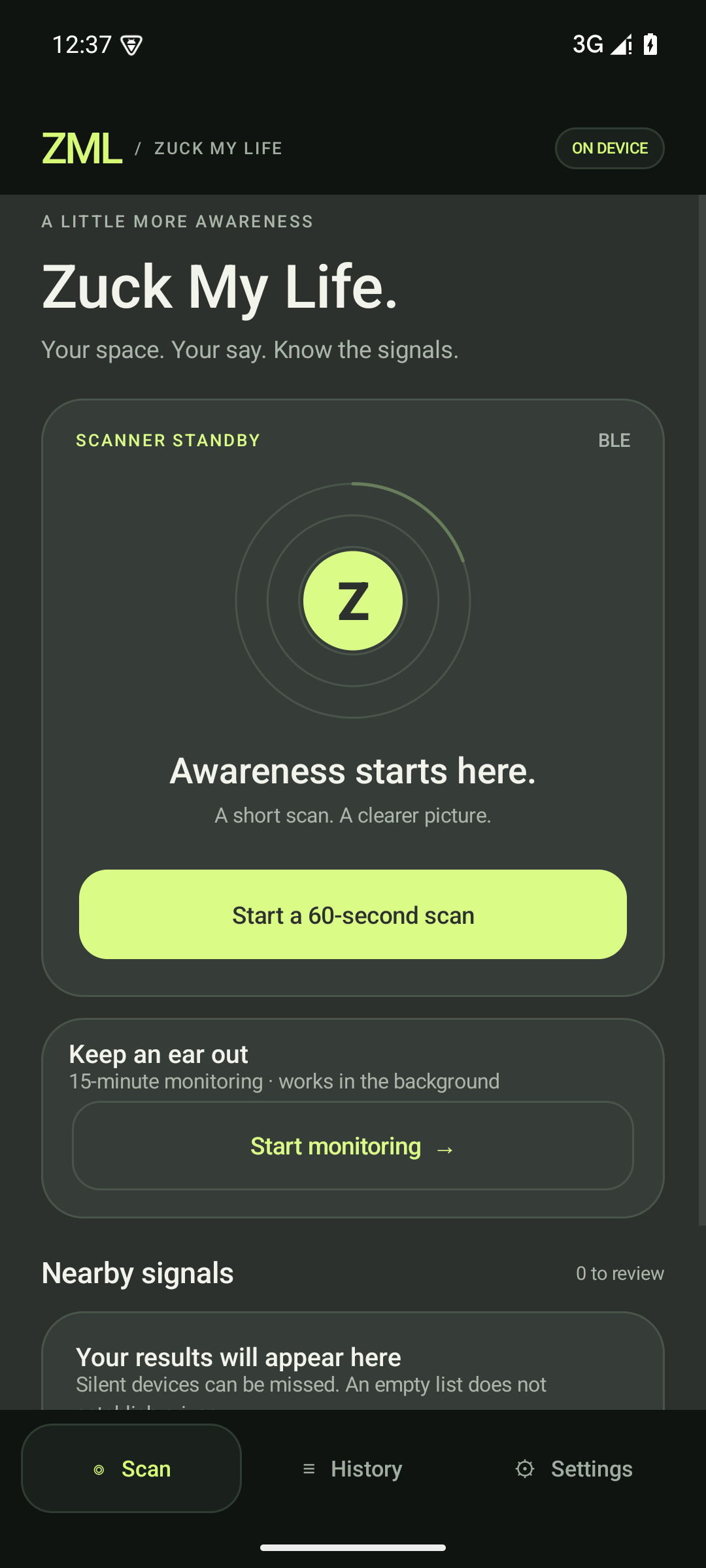
Run a 60-second scan. Pro adds timed monitoring and alerts. Stop whenever you want.
AMERICAN-OWNED. PRIVACY-FOCUSED.
ZML checks nearby Bluetooth signals for clues linked to smart glasses. See what matched. Keep your scan history on your phone.
See ZML in 20 secondsZML means Zuck My Life. You know the feeling.
A clue is not proof of recording. Silent devices can be missed.
20 SECONDS / SOUND OPTIONAL
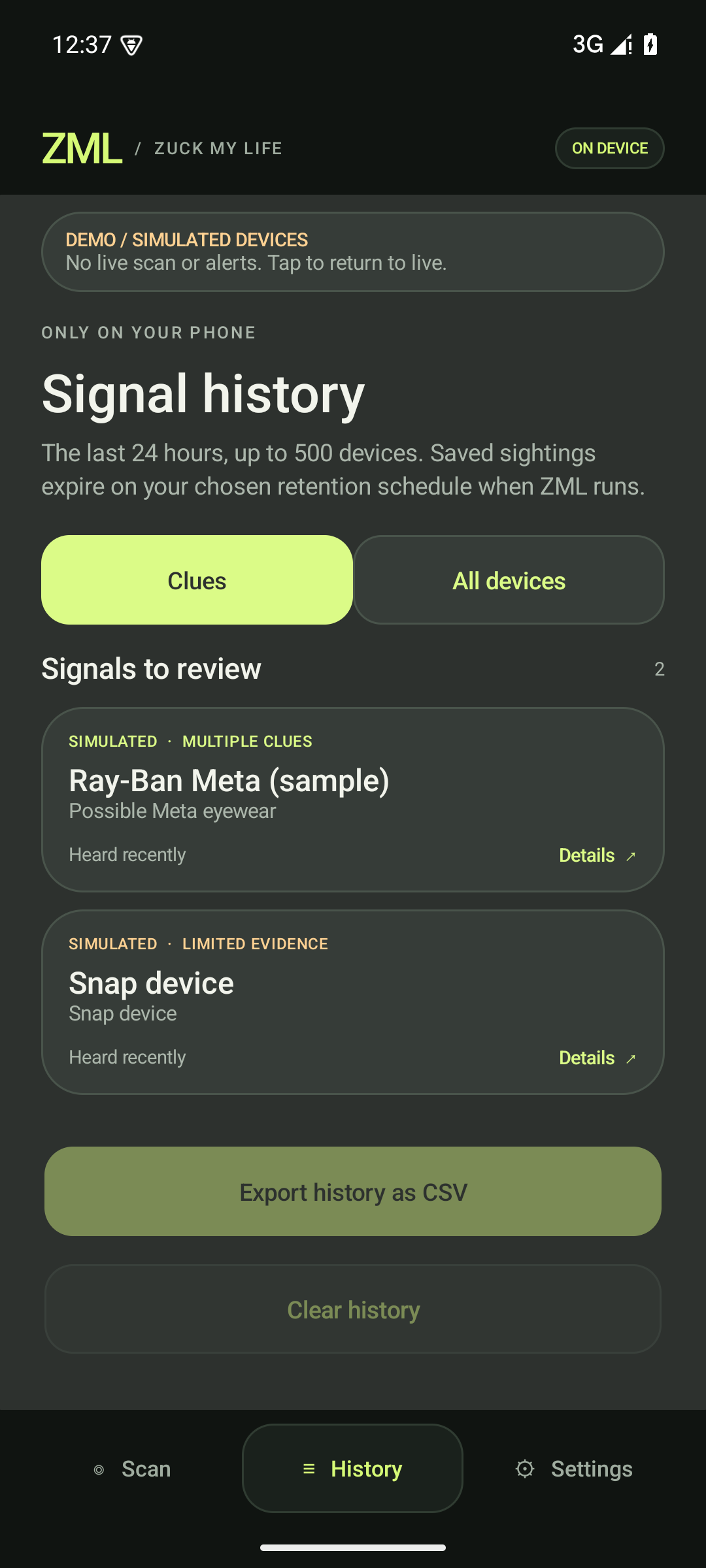
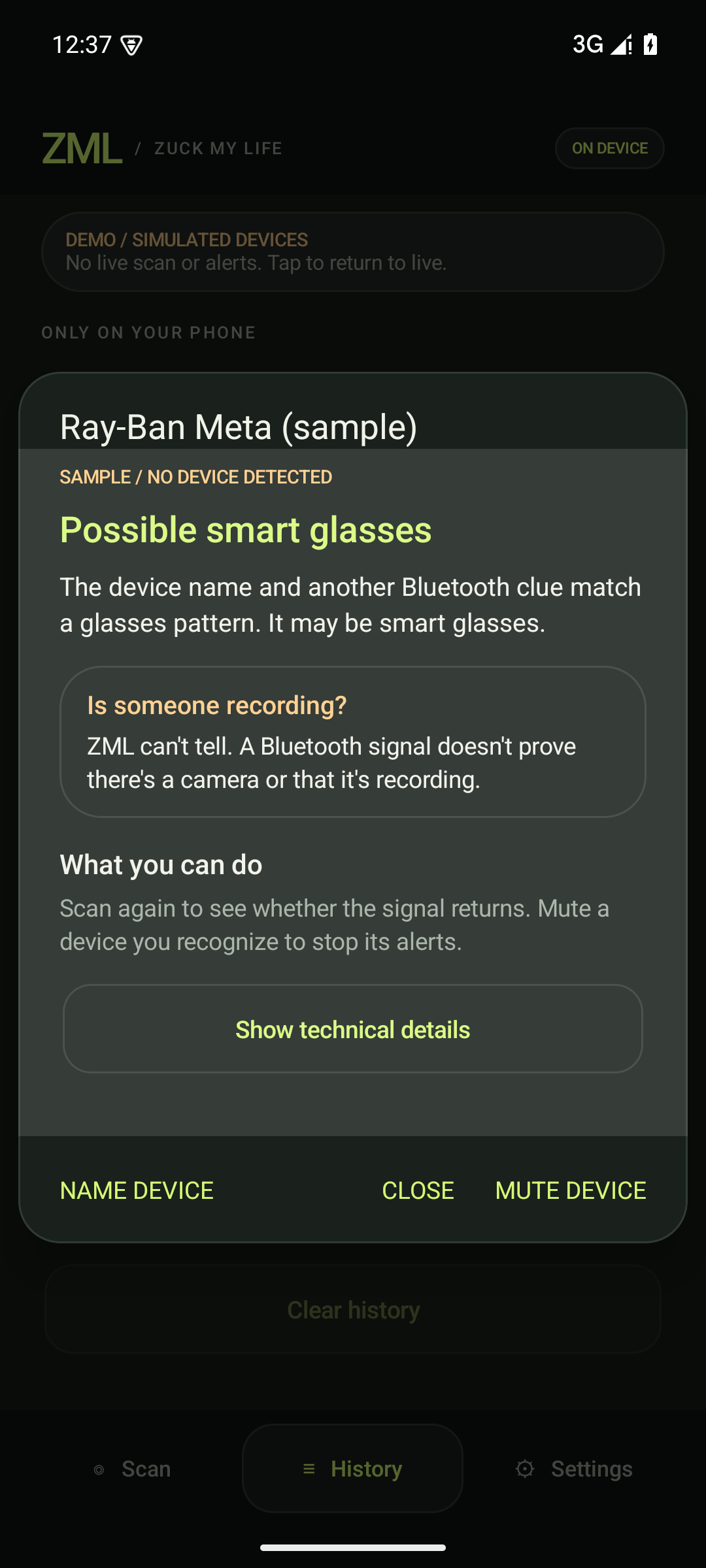
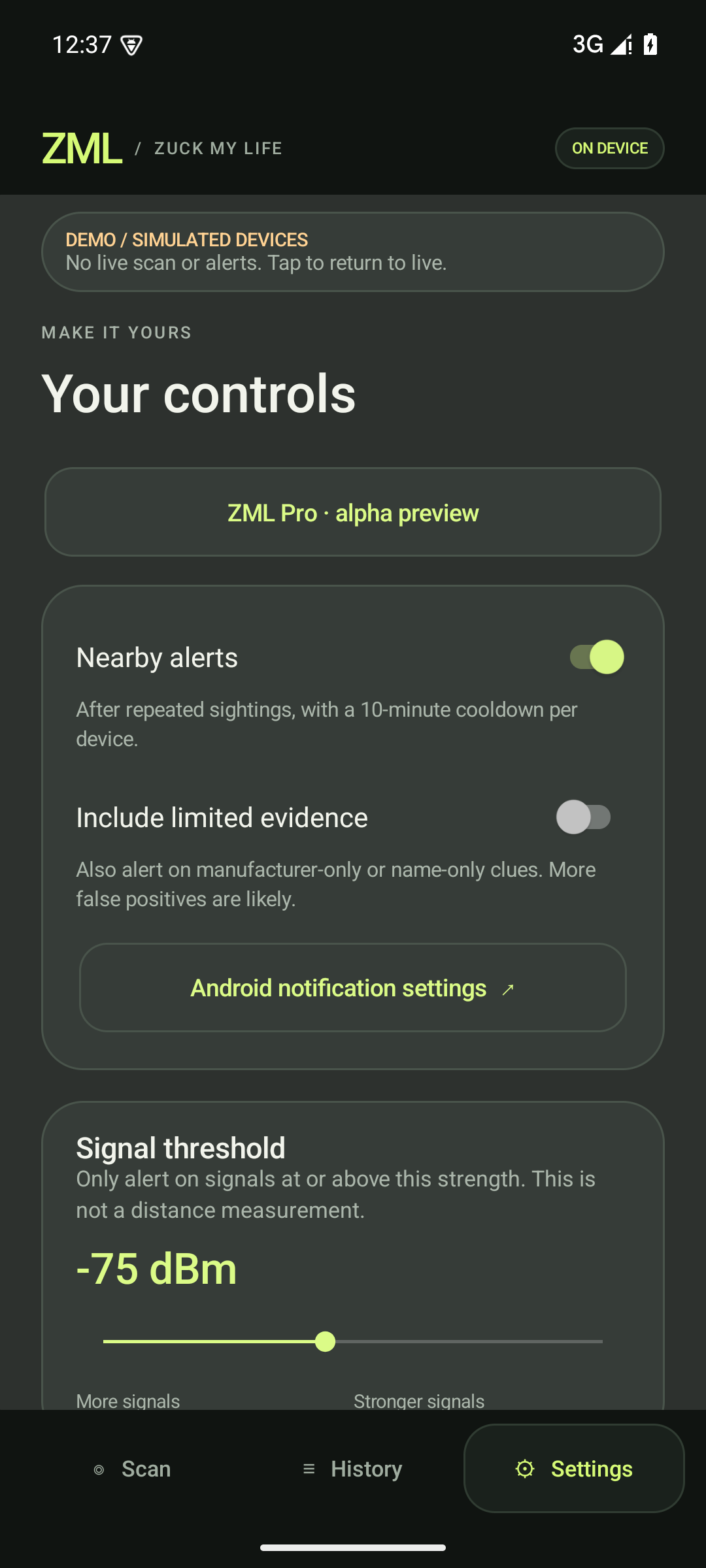
Scan. Read the evidence. Choose your alerts. Actual app screens; example detections are simulated.
Original electronic music. No autoplay. No YouTube embed or tracking scripts.
Glasses got cameras. Of course they did. Meet ZML: Zuck My Life. Scan for Bluetooth clues. See simulated results explained in plain language, with technical details one tap away. Keep history on your phone, mute familiar devices, and choose your alerts. No ads. No ZML account. Clues are not proof of recording; silent devices can be missed. American-owned. Privacy-focused.
WHAT IT DOES
ZML explains what a nearby Bluetooth signal might mean, what it cannot tell you, and what you can do next.
Run a 60-second scan. Pro adds timed monitoring and alerts. Stop whenever you want.
Start with a plain-language summary. Want the numbers and matching clues? Tap Show technical details.
Mute familiar devices, adjust alerts, or clear your history. No ads or ZML account. Dystopia has enough paperwork.
INSIDE ZML
U.S. PRICING
Quick checks are free. Pro adds timed monitoring, alerts, and more ways to manage your history.
Quick scans, readable evidence, familiar-device controls, hardware reports, and 24 hours of local history.
Eligible new subscribers get 7 days free, then annual renewal until canceled through Google Play.
Timed monitoring, alerts, widget, CSV export, and optional 7- or 30-day history.
The same Pro features with one payment. No recurring subscription.
Prices shown in U.S. dollars. Local prices and trial eligibility are shown in Google Play.
ZML VS. ZUCKOFF
Both offer free scanning and paid monitoring. ZML keeps raw Bluetooth addresses out of saved history and puts a readable explanation first.
| Option | ZML | ZuckOff on iPhone |
|---|---|---|
| Basic scanning | Free | Free |
| Annual Pro | $8.99 / year | $14.99 / year |
| Annual trial | 7 days for eligible new subscribers | First week free, as listed |
| Lifetime Pro | $28.99 once | $29.99 once |
ZuckOff prices are from its U.S. iPhone listing, checked September 25, 2026 (UTC). Android checkout prices are unverified. Local prices and trial eligibility vary.
Compare features and privacySTRAIGHT ANSWERS
Keep ZML open during a free 60-second quick scan. Switching apps ends that scan; saved results stay in History. With Pro, choose Start monitoring for a 15- or 60-minute background session. Its notification includes a Stop button.
No. ZML can hear the same Bluetooth entry many times. Readings are repeated observations, not a count of people, cameras, or glasses. History can also include earlier scans. Changing Bluetooth identifiers can make one device appear as more than one entry.
History remembers past sightings. A saved entry does not mean the device is still nearby. Check when it was last heard; turning a device off does not erase its earlier results.
With Pro, open History → Export history as CSV. CSV files open in spreadsheet apps. The export includes all saved entries, even those hidden by the Clues filter.
History holds up to 500 Bluetooth entries within your chosen retention period. At the limit, new entries replace those heard longest ago. An export saves only what is still retained, including earlier scans; it cannot recover replaced entries. You choose where the file goes.
No. It inspects Bluetooth clues. It cannot establish who owns a device, whether it has a camera, or whether it is recording. An empty scan is not a privacy guarantee.
No. Devices can stop advertising, change identifiers, or use signals ZML does not recognize. Background scans use selected filters and can miss name-only clues.
ZML does not upload it. History stays in private app storage and is not sent to billing. If you export a file, you choose its destination; a cloud destination may sync it online. Google Play handles purchases and receives billing diagnostics and device/network information. See our privacy details.
Zuck My Life. Like FML, but now the glasses need a firmware update.
No. ZML is developed independently by Sonic Team West LLC, with its own code, design, and brand. Product names identify relevant hardware or apps; they do not imply endorsement.
GET IN TOUCH
American-owned.
Privacy-focused.